











A betting ticket is the record of a bet you have placed. Whether the bet was made in a shop, on the website or in the app, the slip carries everything the system needs to identify it later: a ticket number, the selections, the stake, the odds and the settlement status. Ticket check is the process of reading that record back and seeing where your bet stands.
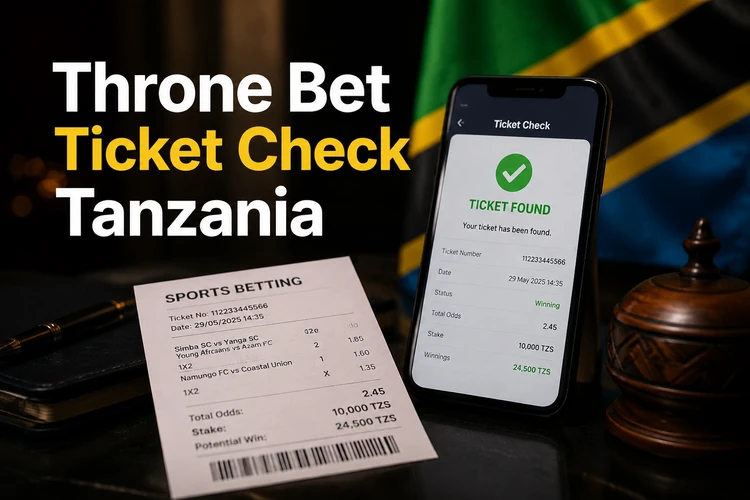
There are a few routes to the same answer in Tanzania. You can look up a slip by its number, type in the verification code printed on a paper slip, or use a scanning option where the camera reads the barcode for you. Scanning is convenient for physical slips because it removes the risk of mistyping a digit. Availability of each method depends on how the service is configured, so check the official service for the current options.
What a Throne Bet ticket contains
Every slip is built around a unique identifier. The Throne Bet ticket number is the string of digits used to retrieve the record, and it usually sits at the top or bottom of a printed slip. On a digital slip it appears in your bet history next to the date and time the bet was accepted.
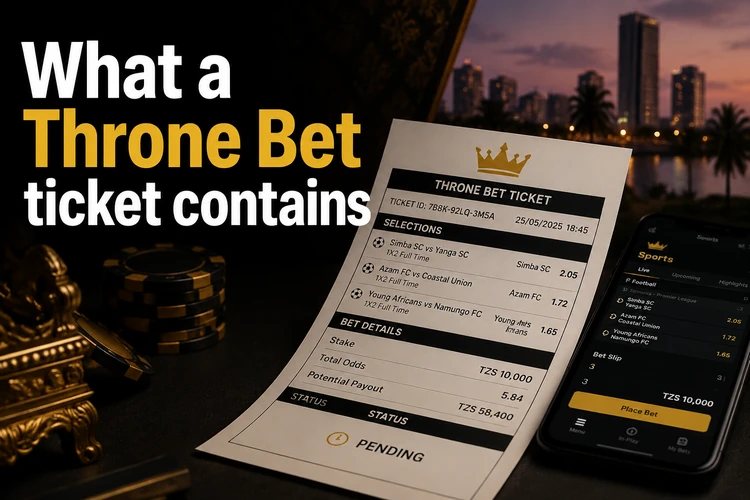
Below the identifier you will find the selections themselves: the event, the market, the price taken and the stake. Multi-selection slips may also show combined odds and the potential return. A status field tells you whether the bet is open, won, lost, void or partially settled. If a leg was cancelled because the fixture did not go ahead, that leg may be marked separately rather than voiding the whole slip. A fast ticket placed quickly at a terminal follows the same basic format, usually with fewer selections.
How to check a ticket step by step
The lookup itself is straightforward. Keep the slip in front of you, because both the number and the code may be needed depending on the method used.
Work through the steps in order and copy the digits exactly as printed, including any leading zeros.
- Step 1: Open the ticket check page on the site or in the app.
- Step 2: Sign in if the method requires an account. You can log in to your account first to see the same slip in your bet history.
- Step 3: Enter the ticket number in the relevant field.
- Step 4: Add the verification code if one is requested.
- Step 5: Submit the details and read the status shown for each selection.
If the result differs from what is printed on the slip, compare the event name, market and accepted odds before taking any further action. A pending result does not necessarily mean that the ticket has failed; a fixture may still be open or awaiting settlement.
Checking a ticket by code
The ticket code is a short verification string that accompanies the main number on some printed slips. It provides an additional check when a paper ticket is looked up and helps distinguish the correct record from another slip with a similar number.
You will use it mostly with paper slips from a retail point. Digital bets placed from your account may not need it, because the account already identifies the relevant bet. If the code is faded or torn, keep the original slip and contact support through an official channel. Do not share a photo of a complete slip publicly, since the number and code may allow another person to view its details.
Enter the code exactly as shown. Avoid adding spaces unless the form displays them, and check characters that are easy to confuse, such as 0 and O or 1 and I. If the form rejects the code repeatedly, do not keep submitting random combinations; verify the details from the paper record first.
Scanning a slip instead of typing
Scan ticket is a camera-based lookup. You point the phone at the barcode or QR block on the slip and the app reads the identifier, then loads the result screen used for manual entry. Where this option is supported, it can be useful for long numbers.
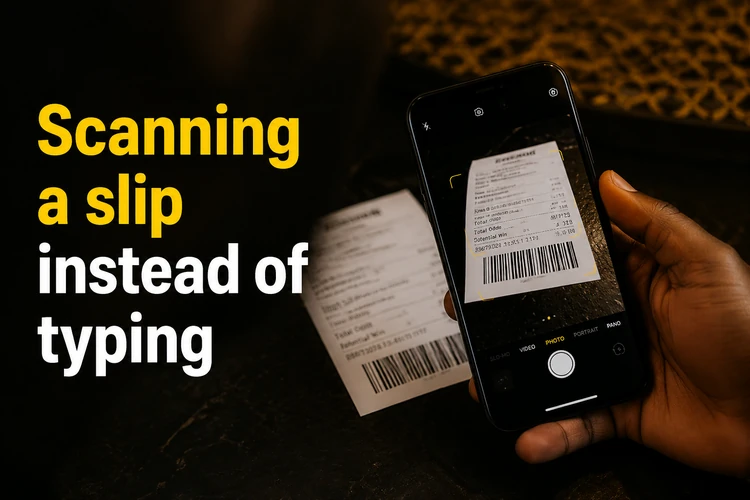
Good light and a flat slip matter more than an expensive camera. Creased paper, glare from direct sun and thermal print that has started to fade are common reasons a scan fails. If the code will not read after two or three attempts, switch to manual entry. Once a slip has been scanned, results for the underlying fixtures can be compared with the published match results.
Mobile app and browser
On Android and iOS, the lookup may be available inside the betting app alongside bet history. Scanning depends on camera permission, so if the viewfinder stays black, open your phone settings and allow camera access for the app. Details about installation are covered on the mobile app page; use the official store listing or the operator's own site as the download source.
The mobile browser version can handle the same checks without an installation. It is practical on low-end phones and limited data connections, although barcode scanning may not be available in a browser. There may be no downloadable PDF version of a ticket; if you need a temporary copy, save a screenshot of the result screen and keep the paper slip until the bet is settled and paid.
Ticket price and common errors
The price of a ticket is your stake, not the potential payout. It is set when you place the bet and is subject to the minimum stake in force at that time. The odds attached to each selection turn that stake into a possible return. On accumulators, the individual prices multiply, so a small stake can show a larger theoretical return while the chance of every selection winning becomes lower.
When a lookup fails, the cause is usually practical. A wrong digit or a confused 0 and O is common. A slip may also be too recent to appear, or too old if the available archive period has passed. A login error blocks account-based checks, while an unstable mobile connection can time out the request. Retry on a stable network before assuming the slip is lost, and contact support if the number still returns no record. Betting is for players aged 18+ only.
Service for players in Tanzania
For customers in Tanzania, the checking process can differ slightly between retail slips, the website and the app. A retail slip normally carries the printed number and code, while online bets are stored in the account history. Currency and timestamps should be read in the context shown by the service when the bet was accepted.
Keep the original slip until the bet is settled and any winnings have been paid. If a fixture is postponed, settlement may wait for the rescheduled date, so compare the ticket with the upcoming fixtures list before reporting a problem. Payout rules, archive periods and stake limits are set by the operator and can change, so the official service remains the best source for current information.
FAQ
Open the ticket check page on the site or in the app, enter the ticket number from the slip and add the verification code if it is requested. The result screen shows each selection and its status. If you placed the bet from your account, the same record may also appear in your bet history.
On a printed slip, it is the long digit string at the top or bottom, usually near the outlet details and time of placement. On a digital slip, it appears in your bet history beside the date the bet was accepted. Copy it exactly, including any leading zeros.
Point your phone camera at the barcode or QR block on the slip and, where the feature is supported, the app reads the identifier automatically. It needs camera permission and reasonable light. If the paper is creased or the print has faded, type the number manually instead.
Check the characters first, since 0 and O or 1 and I are easy to mix up. Make sure you are using the verification code rather than part of the ticket number. If it still fails, try again on a stable connection and contact customer support with the original slip available.
An account is needed to view your bet history, but a code-based lookup of a printed slip may work without signing in where that method is supported. Availability depends on the service configuration. Checking a ticket itself does not carry a fee, although normal data charges may apply.
The most common reason is a typing error in the number or code. A very recent bet may not have synchronised yet, and an older one may be outside the available archive period. If the details are correct, keep the slip and contact support with the time, stake and outlet information.